

Magento Hosting Requirements in 2026: What Your Store Really Needs
Magento is the most demanding platform we host. People come from WordPress or Shopify expecting to drop it on a $10 shared plan, and it either refuses to install or crawls the moment a real customer shows up. Magento is not a website in the usual sense. It is a stack of services that happen to serve pages. Get the hosting wrong and no amount of code tuning will save you. Here is what a Magento 2.4.8 store actually needs in 2026, and what it costs.
Why Magento is different
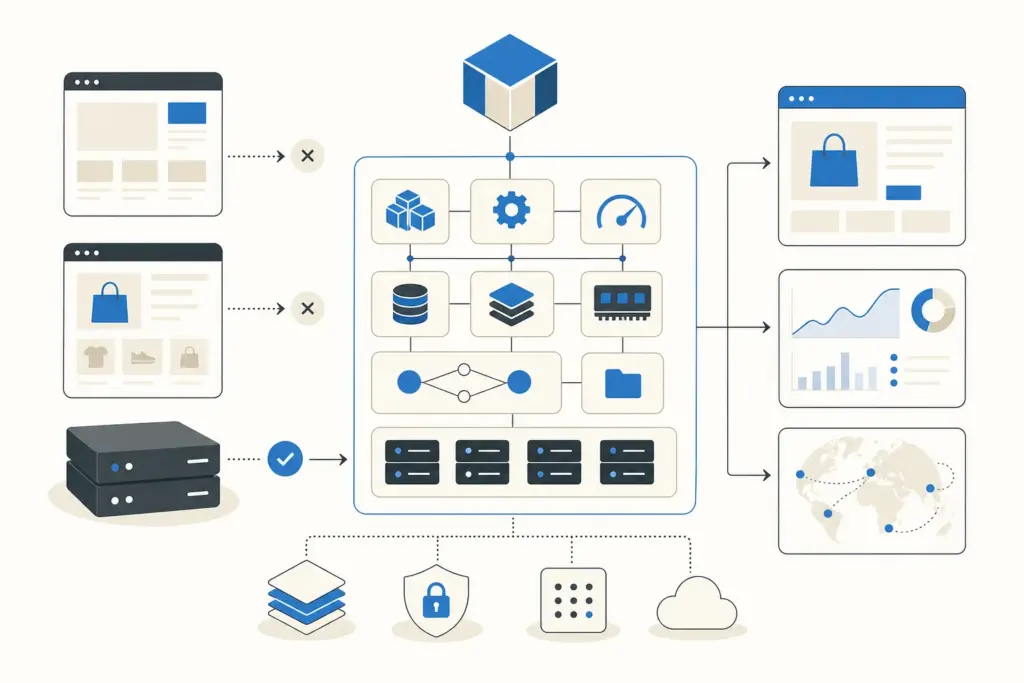
A WordPress site is PHP and a database. Magento is PHP, a database, a search engine, a cache store, and usually a reverse proxy, all running at once and all expected to talk to each other quickly. That architecture is why Magento scales to catalogs of tens of thousands of products, and also why it falls over on hosting built for small sites. You are not renting space for a site. You are renting a small application server.
The software stack for Magento 2.4.8
These are the versions Adobe supports for the current release. Running older ones works until it does not, usually at the worst possible moment during a checkout spike.
- PHP 8.3 or 8.4, with OPcache on and generous memory limits.
- MySQL 8.4 or MariaDB 11.4 for the database.
- OpenSearch 2.19 for catalog search. This is not optional. Magento 2.4 will not install without a supported search engine.
- Valkey 8 or Redis 7.2 for session and page caching.
- Varnish 7.6 as a full-page cache in front of the store.
- Nginx 1.26 (or Apache) as the web server, and Composer 2.9 or newer to manage the code.
OpenSearch and Varnish are the two people forget. Skip the search engine and the install fails outright. Skip Varnish and every page render hits PHP, which is the difference between a store that feels instant and one that stutters under load.
Hardware: RAM is the number that matters
Adobe lists 2GB of RAM as a bare minimum, and that figure is honestly misleading. Two gigabytes is barely enough to run the setup and upgrade commands, not to serve customers. A production Magento store wants 4GB as a real floor, and once you add OpenSearch, Redis, and Varnish to the same box, 8GB and up is where things get comfortable.
Storage should be SSD or NVMe, never spinning disks. Magento does a lot of small reads and writes, and slow storage shows up directly as slow admin pages and slow indexing. For CPU, more cores help with indexing and concurrent traffic, but memory is the constraint you hit first. When a client tells us their store is slow, RAM starvation is the first thing we check.
PCI DSS is part of your hosting decision
If your store takes card payments, and it does, your hosting environment is inside your PCI DSS scope. That means the server needs current software, a properly configured firewall, TLS on everything, and an audit trail. This is a real reason we steer most merchants toward managed Magento hosting rather than a raw cloud instance. Keeping a self-managed server continuously PCI-compliant is a job, not a checkbox, and getting it wrong is the kind of mistake that ends in fines.
The cleanest way to shrink PCI scope is to keep card data off your server entirely, using a payment integration that tokenizes at the processor. We set that up as standard, but the hosting still has to hold up its end.
What it actually costs
Hosting cost tracks store size, so we bracket it by where a business actually is.
- Small store, a few hundred to a couple thousand products, modest traffic: expect $40 to $80 a month on a properly specced managed plan. Below that price you are on hardware that will disappoint you.
- Mid-size store, thousands of SKUs, steady daily orders: roughly $150 to $400 a month once you have enough RAM and a real cache layer.
- Large or high-traffic store: $500 a month and up, and Adobe Commerce Cloud deployments for enterprise catalogs routinely cross $1,000 a month before you count the license.
Those numbers surprise people coming from Shopify’s flat pricing. The trade is control and no per-transaction platform cut. Whether that trade makes sense depends on your margins and volume, which is exactly the calculation we walk through in OpenCart vs Magento if you are still choosing a platform.
Self-hosted, managed, or Adobe Commerce Cloud
You have three real options. A raw cloud server (AWS, DigitalOcean, Hetzner) is cheapest on paper and gives total control, but you own every patch, backup, and PCI obligation. Unless you have a sysadmin, this is usually a false economy. Managed Magento hosting (Nexcess, Cloudways, Liquid Web) costs more per month but ships the full stack tuned for Magento and handles the server-level maintenance. For most merchants this is the right answer.
Adobe Commerce Cloud is the top tier, a managed AWS environment bundled with the paid Commerce license. It is built for large enterprises that want Adobe to own the infrastructure end to end, and it is priced accordingly. If you are asking whether you need it, you probably do not.
The mistake we see most
The single most common Magento hosting failure is buying on the sticker price. A merchant picks a $20 plan advertised as “Magento compatible,” the store technically installs, and then it dies the first time a marketing email lands 200 people on the site at once. Compatible and capable are not the same word. Magento needs headroom, and headroom costs money. Budget for the store you want in a year, not the one you have on launch day.
If you would rather not become a part-time server administrator, that is what we do. We host and maintain Magento stores with the full stack configured correctly, monitored, and patched. Our Magento development page covers builds and migrations, and we are happy to review your current hosting and tell you plainly whether it is holding your store back.
Frequently asked
Can Magento run on shared hosting? Technically sometimes, practically no. Shared hosting rarely gives you the RAM, the search engine, or the cache services Magento needs. It will feel slow and break under any real traffic.
How much RAM does Magento 2 need? Four gigabytes is a realistic minimum for production, and 8GB or more once OpenSearch, Redis, and Varnish share the server. Adobe’s 2GB figure is only enough to run install and upgrade commands.
Do I really need Varnish and OpenSearch? OpenSearch, yes, Magento 2.4 will not install without a supported search engine. Varnish is not strictly required but nearly every fast Magento store uses it as a full-page cache. Leaving it out is a choice you will feel.
Is managed Magento hosting worth the extra cost? For most merchants, yes. The premium buys a correctly tuned stack, server maintenance, and help with PCI compliance, which are hours and risk you would otherwise carry yourself.
Continue reading

Is Magento worth it in 2026? An honest take on cost and complexity
Short answer: Magento is worth it if you are doing several million dollars a year in online sales, sell to other businesses, or have catalog and pricing rules that break simpler platforms. For almost everyone else in 2026, it is the wrong tool, and we will tell you that before you spend a dollar with […]
Magento 1 to 2 Migration: A 2026 Guide to Doing It Right
Magento 1 reached end of life on June 30, 2020. If you are reading this in 2026 and still running it, your store has gone almost six years without official security patches. That is the real headline. The migration to Magento 2, now Adobe Commerce, is not an upgrade you click through. It is a […]

The Best Magento Extensions in 2026 (The Ones We Actually Install)
Search “best Magento extensions” and you get marketplaces selling you their own catalog. Amasty lists hundreds. Webkul lists 650+. The Adobe Commerce Marketplace lists thousands. None of that tells you what a real store actually needs. We build and maintain Magento and Adobe Commerce stores, and the list of extensions we install on most of […]
Got a related project?
Send a quick brief — we'll suggest the best path forward.