

OpenCart Speed Optimization: Fix the Right Thing First
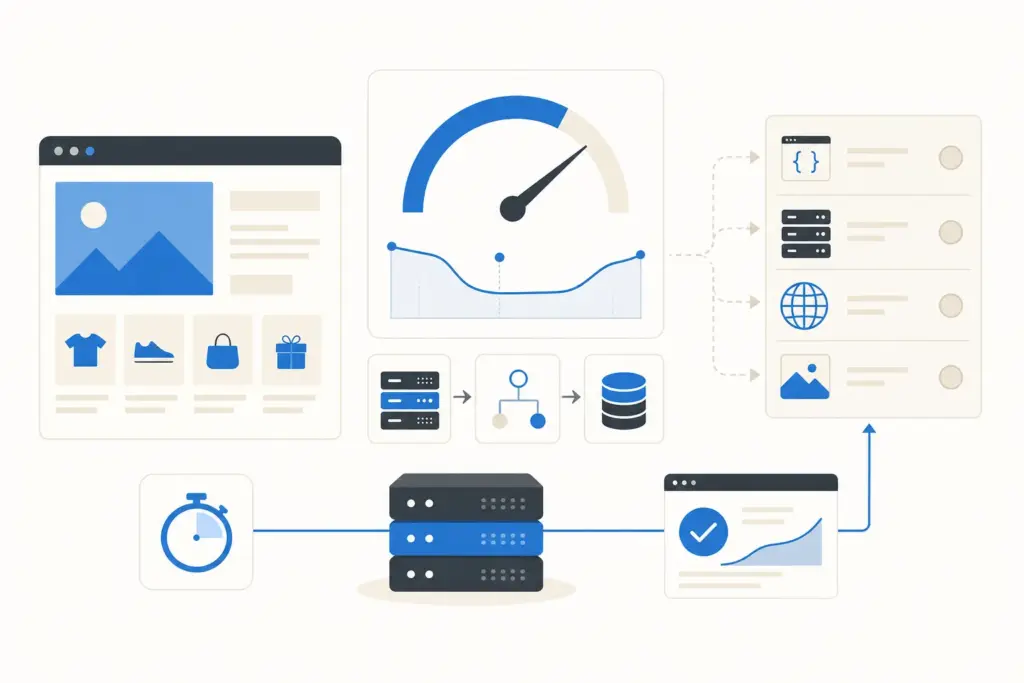
Most guides on OpenCart speed optimization hand you the same checklist: minify CSS, enable caching, add a CDN, compress images. All true, all useless if you do them in the wrong order. You can spend a weekend minifying assets while the real problem is a 1.8-second server response you never measured. So start with a number, not a checklist.
Measure before you touch anything
Open the store in an incognito window, run it through GTmetrix or PageSpeed Insights, and write down two figures: time to first byte (TTFB) and largest contentful paint (LCP). TTFB is how long the server takes to start sending the page. On a healthy OpenCart store it sits under 600ms. If yours is 1.5 seconds or more, your bottleneck is the backend, the host, the database, PHP, and no amount of image compression will fix it.
Then turn on OpenCart’s own profiler. In the admin, edit config.php and set the error display and profiling flags, or drop a simple timer around the database class. What you are looking for: how many queries a category page fires. A clean store runs 40 to 80 queries per page. We have opened stores doing 900 queries on a single category because an extension loops the database inside a loop. That is a code problem, not a caching one, and caching would only have hidden it.
The usual culprit is the host, not your code
Here is the part the extension vendors do not want to lead with: most slow OpenCart stores are slow because they sit on cheap shared hosting with an overloaded MySQL server and PHP capped at a few workers. You can tune the store perfectly and still crawl because you are sharing a CPU with 300 other sites.
Our default recommendation for any store doing real traffic is LiteSpeed hosting, or a small VPS you control. We run most OpenCart stores on a 2-4GB Hetzner or Cloudways VPS with LiteSpeed and LSCache. A typical 3,000-product OpenCart 3 store we move off shared hosting goes from roughly a 2.4-second TTFB to under 700ms before we optimize a single line of code. Move first, tune second.
Turn on caching, and know what each layer does
OpenCart has three caching layers people confuse. The built-in cache (under System, Settings, Server) caches the theme and some queries. It helps a little. OCMOD and extension caches vary wildly in quality. And full-page caching, the one that actually matters, is not in OpenCart core.
Full-page cache stores the finished HTML of a category or product page and serves it without touching PHP or MySQL at all. On LiteSpeed you get this through LSCache for OpenCart, free, and it is the single biggest win available. On nginx or Apache without LiteSpeed, you use a plugin like the ones the SERP keeps recommending, but understand the trade-off: full-page cache and a store with per-customer pricing or a live cart need careful exclusion rules, or logged-in users see each other’s carts. Set the cache to skip the cart, checkout, and account routes.
Fix the database, because that is where the queries live
OpenCart’s database gets slow in predictable ways. The session table bloats with abandoned guest sessions, sometimes to millions of rows. Clear it. The product and product_to_category tables need their indexes intact, and a store that has been migrated a few times often lost them. Run OPTIMIZE TABLE on the big tables monthly. If you have more than 10,000 products, the default category filtering query is your enemy, and you either add a covering index or cache those pages hard.
One concrete win: switch the session storage from the database to Redis if your host offers it. On a busy store that alone can drop TTFB by 200 to 400ms because every page load stops hammering the session table.
Server config that actually moves the needle
Run PHP 8.1 or newer. OpenCart 4 needs it, and OpenCart 3 runs fine on 8.0+. The jump from PHP 7.4 to 8.1 alone buys you 15 to 25 percent on raw execution. Then make sure OPcache is on and sized properly, at least 128MB, so PHP is not recompiling your scripts on every request.
Enable HTTP/2 or HTTP/3, turn on Brotli or gzip compression at the server, and set long cache headers on static assets. These are one-time server settings, not store settings, and they are free. If your host will not let you touch any of this, that is your sign the host is the problem.
Only then, the frontend
Now the checklist everyone leads with is worth doing. Convert product images to WebP; a store with 2,000 unoptimized JPEGs can shed several megabytes per page. Lazy-load below-the-fold images. Cut the number of extensions loading JavaScript on every page, because each poorly built module adds render-blocking scripts. And audit your theme: many premium OpenCart themes ship four sliders and a font library you never use.
A CDN like Cloudflare in front of the store helps with static assets and gives you free Brotli and HTTP/3 even if your host is behind. It is worth the fifteen minutes to set up, but it is a finishing touch, not a fix for a slow backend.
OpenCart 3 versus OpenCart 4 for speed
If you are weighing an upgrade, OpenCart 4 is genuinely faster in its core: cleaner routing, Twig template caching, and better structured queries. But it is not a free speed button. Many OpenCart 3 extensions have no stable OpenCart 4 version, so an upgrade can mean rebuilding functionality, and a badly ported extension will erase the core gains. We have seen OpenCart 4 stores slower than their OpenCart 3 originals purely because of one heavy third-party module. Upgrade for the longer support runway and the cleaner codebase, not as a speed shortcut. Our OpenCart 3 vs 4 comparison covers the migration trade-offs in full.
When to stop guessing and get help
If you have measured TTFB, moved to a decent host, turned on full-page cache, and you are still over a second, the problem is almost always a specific extension or a query pattern that needs a developer with a profiler. That is the point where a DIY afternoon turns into a lost week. We do OpenCart speed audits that start with the same profiling above and end with a prioritized fix list and the fixes themselves. You can see the rest of what we build on the OpenCart development services page, or read why we still recommend the platform on the OpenCart overview.
The short version: measure first, fix the host and the cache before the images, and treat the database as a real component, not an afterthought. Do that and most OpenCart stores drop from three seconds to under one without anyone rewriting the theme.
Continue reading

OpenCart 3 vs 4 in 2026: Which Should You Build On?
We build on both OpenCart 3 and 4 and migrate clients between them. The honest 2026 verdict: 3.0.4.1 is still the safer bet for most new stores, OpenCart 4 for custom builds with few extensions.

Best OpenCart Extensions in 2026: What We Actually Install
We build and maintain OpenCart stores for a living, so we install extensions we later have to support. That changes what you pick. A flashy module that saves an afternoon during the build but breaks on the next OpenCart point release costs more than it ever saved. This is the list we actually reach for […]

OpenCart Alternatives in 2026: Which One Actually Fits You
Most “OpenCart alternatives” lists are the same eight logos in a different order: Shopify, WooCommerce, BigCommerce, PrestaShop, Magento, and a few you have never heard of. They are written to rank, not to help you decide. We build stores on several of these platforms, so we have no reason to push you toward one. Here […]
Got a related project?
Send a quick brief — we'll suggest the best path forward.