

WordPress Plugin Bloat: What We Found Auditing 200 Sites
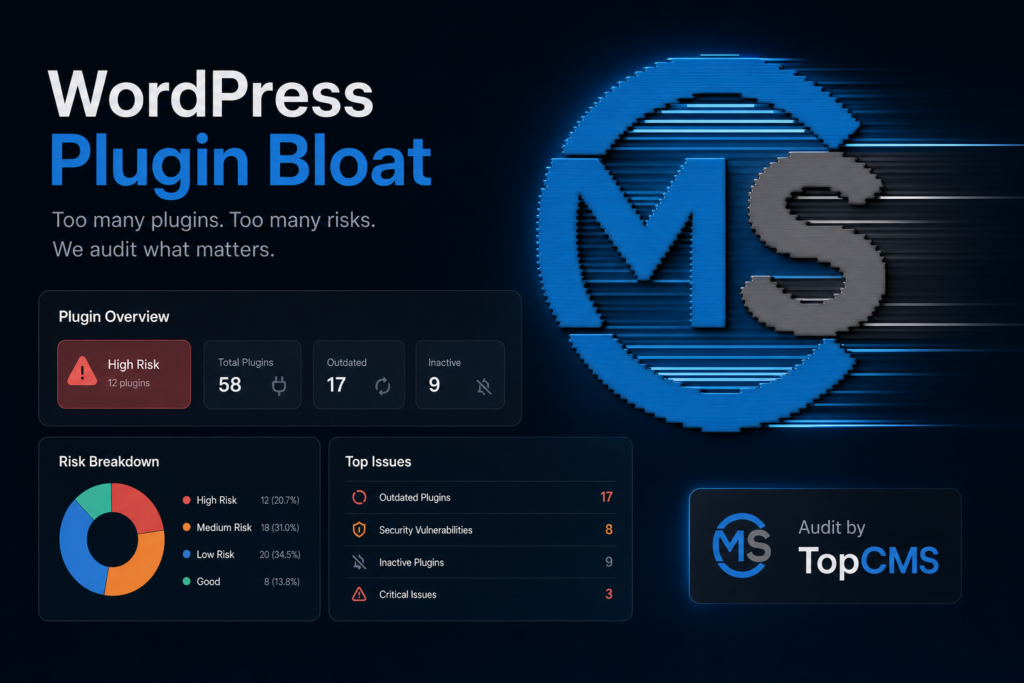
The “too many plugins” framing is wrong. We audited 200 WordPress sites that came to us for performance work over the last two years, and the slowest sites in the dataset did not always have the most plugins. The fastest site we cleaned up had 38 active plugins. The slowest had 19. Plugin bloat is not a count problem. It is a category problem, a load-order problem, and an “this plugin runs on every page even though it should only run on /checkout/” problem.
Here is what we actually found, and the cleanup playbook we run now.
What we measured across the 200 sites
Each site got the same audit: 24-hour Query Monitor capture, New Relic transaction sampling, and a Chrome DevTools waterfall on the homepage plus one inner page. We logged active plugin count, total DB queries per request, total PHP execution time, and front-end blocking resources injected by plugins.
The headline numbers across the sample: median 27 active plugins, median 142 DB queries per request, median 780ms PHP time on the homepage. The worst quartile averaged 38 plugins and 1.9 seconds of PHP time. The best quartile averaged 31 plugins and 320ms. The plugin count gap between best and worst was only 7. The PHP time gap was 6x.
Which means the question “is 30 plugins too many” has no useful answer. Better question: “which of your plugins are doing work on every request that they should only be doing on one request a day?” A conflicting or broken plugin doesn’t only slow a site down; it can take it offline entirely with the WordPress white screen of death.
The five plugin categories that hurt the most
Some plugin categories are statistically much more likely to cause real slowdown than others. Across the 200 sites, these five accounted for roughly 80% of the worst-case PHP time we attributed to plugins.
Page builders running on the front end. Elementor, Divi, WPBakery, Beaver Builder. Each one adds 200ms to 600ms of PHP per page even when the editor is closed, because the rendering pipeline parses shortcodes or block JSON on every request. The cache layer hides this until cache invalidates, then your TTFB doubles for ten minutes after every publish. Our default fix is to migrate templates to the block editor where the budget allows, or accept the cost and tune the cache aggressively. We do not recommend stacking two builders, and we have seen people do that. If a builder is on the table anyway, our Elementor vs Gutenberg comparison covers when the extra weight is worth it.
Stats and tracking plugins running PHP, not JS. Anything that writes a row to the database on every page view is going to hurt you at scale. WP Statistics, Slimstat Analytics, MonsterInsights when it logs server-side. We pull all of these and route stats to Plausible, Fathom, or GA4. JavaScript-based analytics costs you nothing on the server. PHP analytics costs you a DB write on every uncached request.
Related posts plugins. YARPP, Contextual Related Posts, and a few “related products” WooCommerce plugins run unindexed queries against post tables. On a 5,000-post site, one of these can add 400ms of MySQL time to every article view. The whole point of a related-posts feature is below-the-fold content. We move it to AJAX, or we generate the related list at publish time and store it in postmeta.
Security plugins doing scans on the request thread. Wordfence with its firewall in extended-protection mode is fine. Wordfence configured to scan on every request, plus iThemes Security, plus a third “malware scanner,” is not fine. We pick one. Wordfence Premium with extended protection plus Cloudflare WAF in front is the stack we run on most production sites. Two security plugins in parallel is a maintenance liability, not extra protection.
Backup plugins doing live backups on cron. UpdraftPlus running a “every six hours” full backup on a 4GB site will block the cron for 90 seconds and make every request that lands during the backup feel slow. We move backups to managed-hosting snapshots (Kinsta, WP Engine, Cloudways) or to a server-level cron via WP-CLI. Keep one backup plugin if you need a UI for restores. Do not let it run hourly.
The “looks heavy but isn’t” list
A few plugins get blamed for slowness in WordPress Facebook groups when they actually run a near-zero cost. Worth listing because we keep getting asked to remove them.
- Yoast SEO and RankMath. Both add admin-side weight, almost nothing on the front end. Median 12ms of PHP per page in our sample. Keep them.
- WooCommerce on a site that is actually selling things. WooCommerce is heavy, but the weight is the trade-off for the ecommerce engine. If you have a working store, you do not gain by switching it out.
- Advanced Custom Fields. The field-rendering layer is well-optimized. The slowness people blame on ACF is usually a custom template doing get_field in a loop without preloading.
- WPML. Adds 80ms to 150ms per page. Real cost, but if you need multilingual on a corporate site, the alternatives (Polylang Pro, TranslatePress) are within the same range.
- Akismet. Negligible on the front end. People remove it because “fewer plugins is better.” Do not. Spam comments without a filter is a worse problem than 5ms.
The audit method we run on day one
For any site that lands on our desk with a “WordPress is slow” complaint, the first 90 minutes are mechanical. We do not guess.
First, install Query Monitor as a must-use plugin and let it run for 24 hours under real traffic. The 24 hours is important. A fresh cache shows you nothing. We want to see the warmed-cache and cold-cache distributions both.
Second, run a wp-cli command to list active plugins with their last update date. Anything not updated in 18 months goes on the kill-or-replace shortlist before we even profile it. Abandoned plugins are a security and compatibility risk independent of speed, and removing them is one of the WordPress security best practices that actually moves the needle.
Third, sort the Query Monitor “Slow Queries” panel by total time. The top 5 will usually point at 1 to 3 specific plugins. Those go on the deep-dive list.
Fourth, do a homepage WebPageTest run with “Capture Video” on. The front-end weight injected by plugins (CSS files, JS bundles, third-party fonts) becomes visible. We have caught plugins loading 4 stylesheets on every page when they only need 1, and a few that load jQuery UI on every page for an admin-only widget.
Fifth, for any plugin that scored badly in steps 3 or 4, we check whether the plugin has a “load only on these pages” setting. Half the time it does, and nobody enabled it. Contact Form 7 has an option to skip its CSS and JS load on pages without a form. Most owners never find it.
The cleanup playbook, in order
The order matters. Removing plugins without a plan breaks production.
Staging copy first. We pull a full clone to a staging URL (Local by Flywheel for small sites, a real staging environment on the hosting for bigger ones) and do all elimination work there. Then we run a regression check by clicking through 20 representative URLs and watching the JS console plus the WordPress debug log.
One plugin at a time. Deactivate. Reload. Check the 20 URLs. Run Query Monitor again. Repeat. It is slow, but it is the only way you find out that the “image gallery” plugin was actually rendering 6 of your homepage sections.
Replace before remove. If a plugin does something you actually need, find the lighter replacement before you pull the old one. Pulling a contact form plugin without picking the replacement leads to broken forms in production for an afternoon.
Consolidate by feature. If you have three plugins doing variations of the same thing (three “social share” plugins is real, we have seen it), pick one. The cost of running three is not 3x the cost of one. It is usually 5x because of conflicts and duplicated asset loads.
Move what can move to code. A custom snippet in the theme’s functions.php or in a mu-plugin file is, in PHP-execution terms, almost free compared to a plugin that does the same thing. Things like “add a custom field to the user profile,” “redirect old URLs,” or “rewrite the title tag of one page type” do not need a plugin. They need 15 lines of code.
When a custom plugin is the answer
For sites that have grown past a generic plugin stack, the answer is sometimes to write one custom plugin that replaces three or four off-the-shelf ones. We do this when the site has a specific workflow that no commercial plugin matches exactly, and the owner is paying for three plugins worth $25/month each plus a fourth that gets in the way.
Cost calculation we run with the client: take the monthly cost of the plugins to be replaced, multiply by 36 months. If a custom plugin costs less than that and removes a recurring license dependency, the math is straightforward. We have built custom mu-plugins for clients where the payback was 8 months and the page TTFB improved by 240ms because we cut out two front-end-loading stacks.
This is the case for our WordPress support and development service: long-term maintenance where the team that audited your plugins is the team that writes the replacements. Audit and code together.
What the data does not say
One thing the 200-site dataset does not say is which specific plugin combinations cause the worst conflicts. We did not have enough clean A/B data on plugin pairs. Anecdotally, the worst conflicts we saw were security plugin x security plugin (two firewalls, two scanners), and page builder x caching plugin (a builder that does not invalidate cache the way the caching layer expects). Both worth checking on any site you inherit.
The other thing the data does not say is that fewer plugins is always better. Cutting from 32 to 25 sometimes did nothing measurable. Cutting from 19 to 11 on a site whose 19 included two page builders and a “social share” plugin set was the difference between 2.4s TTFB and 380ms. The right comparison is not “before count vs after count.” It is “before timing vs after timing.”
FAQ
How many WordPress plugins is too many?
There is no useful number. We have seen 38-plugin sites run at 320ms PHP time and 19-plugin sites run at 1.9 seconds. The category and configuration of each plugin matters more than the count. If your site is slow, audit individual plugins by their query cost and PHP time, not by plugin count. It is one step in the full WordPress speed checklist.
Will deactivating a plugin always speed up my site?
No. Most plugins add less than 10ms of PHP execution per page. The 5 to 10 worst offenders on a typical site account for 80% of plugin-attributable slowness. Identify those with Query Monitor before you touch anything. Random plugin deletion breaks features without measurable performance gain.
Should I use a “plugin manager” or organizer plugin?
We do not recommend it. Plugin Organizer and similar tools add their own overhead and another layer to debug when something breaks. If you need to load plugins conditionally, do it in mu-plugins/load.php or in the plugin’s own “Load on these pages” setting. One less plugin in the stack is one less surface.
What is the safe way to test removing a plugin?
Clone to staging, deactivate one plugin, walk through 20 representative URLs, check the JS console and the WordPress debug log, re-run Query Monitor. If nothing breaks and metrics improve or stay flat, the plugin is a candidate to remove from production. Always keep a backup snapshot before the production removal.
Are page builders inherently bad for performance?
They are not bad. They are heavy. A page builder costs you 200ms to 600ms of PHP time per uncached request because of shortcode parsing or block rendering. On a well-cached site that publishes once a week, the cost is amortized across thousands of cached views. On a site that publishes frequently or has a dynamic homepage, the cost is paid often and visibly.
Can a custom plugin replace several stock plugins?
Yes, and it often pays for itself in 6 to 18 months when you count the saved licenses plus the removed front-end weight. We build custom mu-plugins for specific workflows. The math works when the replaced plugins cost more than the build, or when their front-end overhead is high enough to justify a one-time engineering cost.
Does removing unused plugins improve security?
Yes. Every active plugin is a potential vulnerability surface. Plugins not updated in 18 months are the biggest risk. We treat “abandoned plugin” as a higher-priority finding than “slow plugin.” Slow can be tuned. Abandoned with a CVE cannot.
If your site needs an audit
If your WordPress site loads slowly and you do not know which plugins to blame, we run audits as a fixed-scope engagement. You get the Query Monitor capture, the prioritized cleanup plan, and the staging-test run before any production changes. See our WordPress support service for the full scope, or read our case study on migrating Aria Fashion from Wix to WordPress + WooCommerce for a real-world example of plugin selection on a 240-SKU ecommerce build. For the deeper technical context, our RankMath SEO module writeup explains why we pair SEO and performance work in the same engagement.
If the audit points to a plugin that costs more than it earns, the next question is whether to replace it with a custom build. We laid out the 5-year math, pricing tiers, and the decision framework in custom WordPress plugin development: build vs buy.
One plugin slot that comes up in almost every audit is the SEO plugin. We benchmarked the four serious options for 2026 in best WordPress SEO plugins 2026: real benchmark, including the performance numbers and the cases where each one wins.
Plugin bloat is also the main reason people assume WordPress is slow next to leaner platforms. We unpack that head to head, including Ghost’s famous speed claim, in WordPress vs Ghost.
Once the bloat is gone, caching is the next lever. The right plugin depends on where you host, which we cover in our roundup of the best WordPress caching plugin for 2026.
Continue reading
Squarespace Alternatives in 2026: A WordPress-Heavy Deep Dive
An agency's deep dive into Squarespace alternatives in 2026. The three ceilings people hit, what we move sites to by situation, Squarespace vs WordPress honestly, and what migrates.
Shopify Alternatives in 2026: WooCommerce and What Else Actually Works
An agency's take on Shopify alternatives in 2026. The transaction-fee math nobody runs, what we move stores to by situation, WooCommerce vs Shopify honestly, and when to stay put.
Wix Alternatives in 2026: What We Actually Move Clients To
An agency's honest take on Wix alternatives in 2026. Why you can't export a Wix site, what we move clients to by situation, the real three-year cost, and when to just stay put.
Got a related project?
Send a quick brief — we'll suggest the best path forward.