

WordPress vs Wix: Which Platform Is Right for Your Website in 2026?
Compare WordPress vs Wix on pricing, design flexibility, SEO, ecommerce, and ownership. Discover why WordPress beats Wix for serious websites — and how to migrate from Wix to WordPress without losing traffic.

WordPress and Wix both answer the “I want a website without code” question. Both work. The interesting question is what you trade off to use either one. After dozens of migrations between the two, our pattern is consistent: Wix wins for sites that will never change, WordPress wins for everything else.
Looking at Squarespace too? We did a full deep dive on Squarespace alternatives and the three walls that make people leave.
Decided Wix isn’t the platform for you? We broke down the Wix alternatives we actually move clients to and when each one makes sense.
Already on WordPress and changing hosts? See how to migrate WordPress without downtime for the zero-downtime sequence.
New to the platform and want the setup walkthrough? See our step-by-step guide on how to start a WordPress blog.
WordPress vs Wix at a glance
Wix is a hosted website builder. You sign up, drag and drop, and Wix handles hosting, updates, and infrastructure on their servers. WordPress (specifically self-hosted WordPress.org) is an open-source CMS you install on hosting you control. You own the files, the database, the URL structure. That single difference flows through every other decision.
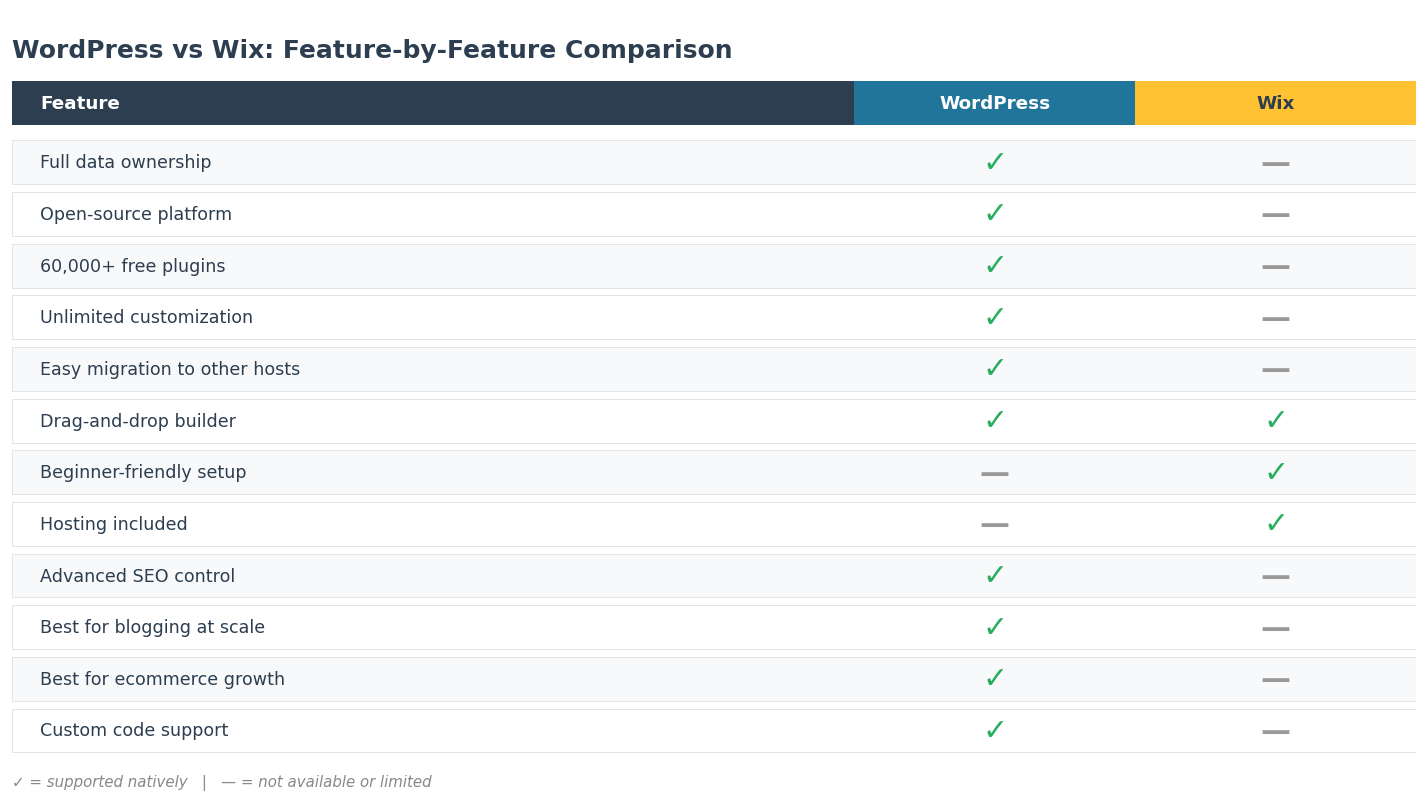
- Ownership. WordPress puts you in full control of your site, files, and data. With Wix, your site lives inside Wix’s ecosystem and you cannot move it without rebuilding.
- Customization. WordPress has 60,000+ free plugins and tens of thousands of themes. Wix has a curated app market with a few hundred apps and a closed template system.
- Learning curve. Wix wins for absolute beginners. WordPress takes a few extra hours upfront but the skills transfer to any project later.
Pricing: WordPress vs Wix in the long run
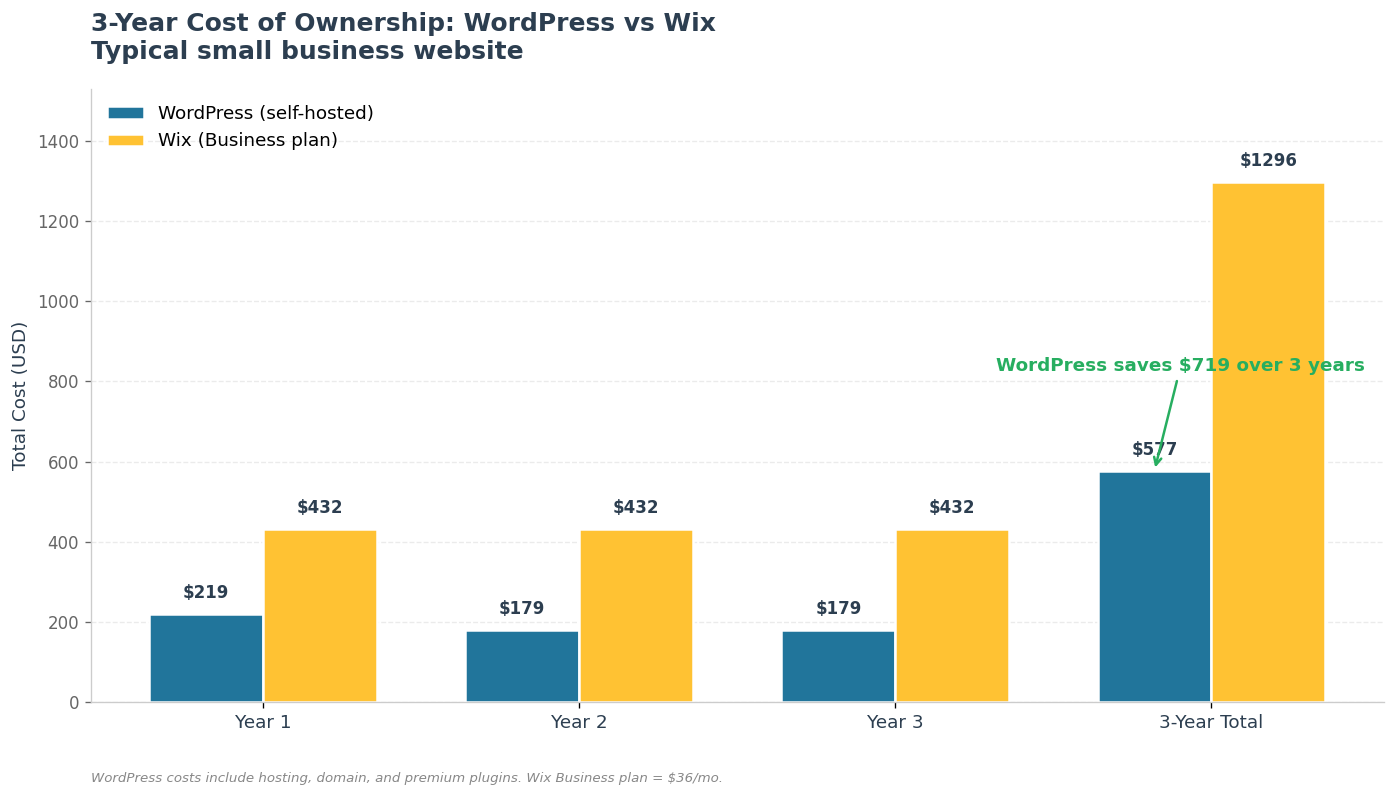
Wix pricing looks predictable. Plans range from a free tier with Wix branding on every page to premium tiers at $17 to $159 per month. WordPress is free, but you pay for hosting (around $5 per month), a domain ($10-15 per year), and any premium plugins or themes you pick. Year one, Wix and WordPress cost about the same for a basic site.
Cost is usually the deciding factor here, and WordPress is not as free as it looks once you add hosting and plugins. We lay out the real figures in our guide to how much WordPress actually costs in 2026.
Year three is a different story. On Wix, you upgrade your plan every time you need more storage, advanced ecommerce features, or higher transaction limits. Costs climb with platform tiers, not your traffic. On WordPress, you scale hosting only when you actually need to. Most growth needs (booking systems, memberships, advanced SEO) are solved with one-time plugin purchases or free alternatives. After three to five years, WordPress almost always works out cheaper for any business that grows past a single brochure page.
SEO, performance, and content flexibility
SEO is where Wix and WordPress diverge sharply. WordPress was built around content. Clean permalinks, full schema control, a mature ecosystem of SEO tools like Yoast, Rank Math, and All in One SEO. You optimize every page individually, plug in technical SEO tools, and host your blog on the same domain at any URL structure that fits your strategy.
Wix has improved its SEO controls a lot in recent years. The basics are there: custom titles, meta descriptions, sitemaps, structured data. But you are still inside a closed system. You cannot edit underlying templates, control caching deeply, or change URL structure without breaking links. For content-heavy projects, agencies, and any site that depends on organic traffic, WordPress is the safer bet.
Which platform wins for each use case
- Blogging. WordPress wins by a wide margin. It runs the majority of the world’s blogs because the editor, taxonomy, and plugin tooling are unmatched.
- Portfolios. Wix is fast for one-person portfolios that will not change often. WordPress is better when you need custom post types, client areas, or galleries that scale.
- Ecommerce. Wix has built-in commerce that works for small catalogs. Past a few dozen products, WooCommerce on WordPress gives you deeper customization, better SEO, and integration with logistics, ERP, and marketing systems.
- Corporate and content sites. WordPress is the default for any project where the content team will keep adding pages, sections, and integrations over time.
Migrating from Wix to WordPress
Many of the businesses we work with start on Wix and migrate once they outgrow it. Wix does not offer a true export. The migration involves rebuilding the structure, transferring content (typically via the Wix RSS feed or page-by-page extraction), redesigning the layout in a WordPress theme, and setting up 301 redirects from every old Wix URL to the new one to preserve rankings.
The move pays for itself within months. Lower platform costs, better organic traffic, and the freedom to extend the site wherever your business needs to go.
The verdict
If you need a small site live this weekend and you do not plan to grow it, Wix is fine. For blogs, ecommerce, portfolios with custom needs, content-driven businesses, or any project that needs to stay flexible over the next five years, WordPress is the stronger platform. You own your site, you keep your data, and your path to scale does not depend on one vendor’s roadmap. See our case studies for examples of what scale looks like in practice.
Thinking about WordPress development for a new project, comparing it to our other CMS services, or just want a fixed-price package from $299? Our team can plan the architecture, run the CMS migration, and set up hosting and SEO so the new site outperforms the old one from week one.
One pattern not covered above: headless WordPress where the editor stays on WP and the public site runs on Next.js. We have a recent build of that — headless WordPress + Next.js case for a climate SaaS.
If you’re considering a similar move from a hosted platform to WordPress, our Shopify to WooCommerce migration case study walks through the 5-week playbook and the 2,400-redirect map that kept SEO intact.
One more topic that keeps coming up after a WP migration: plugin count. We wrote a separate piece on what we found auditing 200 WordPress sites for plugin bloat, including the five plugin categories that account for 80% of the performance damage. Worth a read before you install your first 10 plugins on a new WordPress build.
If you decide to switch, we wrote a step-by-step companion: migrating from Wix to WordPress without losing rankings. It covers the six-phase plan, honest cost brackets, and the redirect-map detail that decides whether your Search Console traffic survives the move.
If your shortlist also includes Drupal — and we still see this on enterprise briefs — we wrote a side-by-side: WordPress vs Drupal with real production benchmarks, including the cost gap, the hiring-pool numbers, and the content-model break-even point.
Wix is not the only website builder worth weighing against WordPress. If you lean toward a visual design canvas instead, our WordPress vs Webflow comparison covers that trade-off, including the new 2026 pricing and what a migration actually costs.
Wix at least lets you own a custom domain. The deeper ownership question is whether to publish on a platform you control at all, which we tackle in WordPress vs Medium: where should you actually publish.
Continue reading
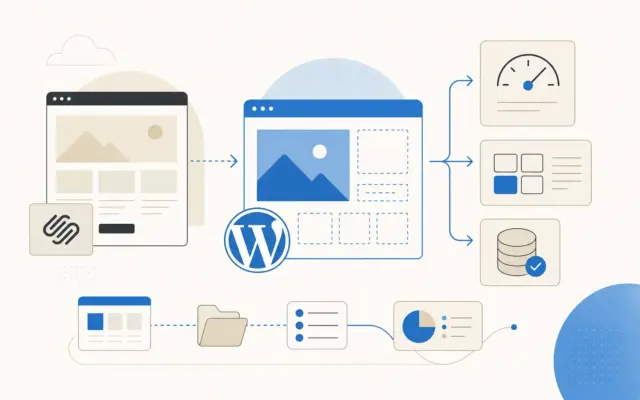
Squarespace Alternatives in 2026: A WordPress-Heavy Deep Dive
An agency's deep dive into Squarespace alternatives in 2026. The three ceilings people hit, what we move sites to by situation, Squarespace vs WordPress honestly, and what migrates.
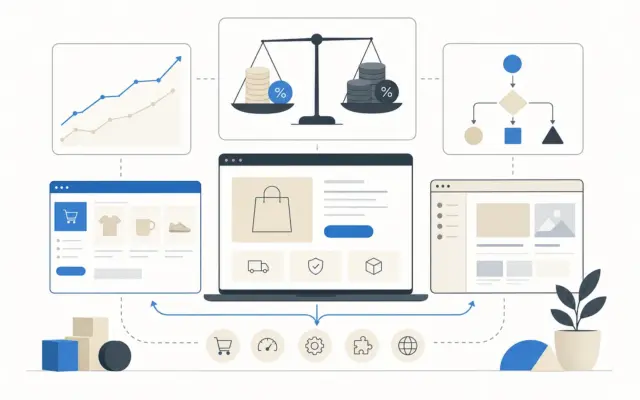
Shopify Alternatives in 2026: WooCommerce and What Else Actually Works
An agency's take on Shopify alternatives in 2026. The transaction-fee math nobody runs, what we move stores to by situation, WooCommerce vs Shopify honestly, and when to stay put.
Wix Alternatives in 2026: What We Actually Move Clients To
An agency's honest take on Wix alternatives in 2026. Why you can't export a Wix site, what we move clients to by situation, the real three-year cost, and when to just stay put.
Got a related project?
Send a quick brief — we'll suggest the best path forward.